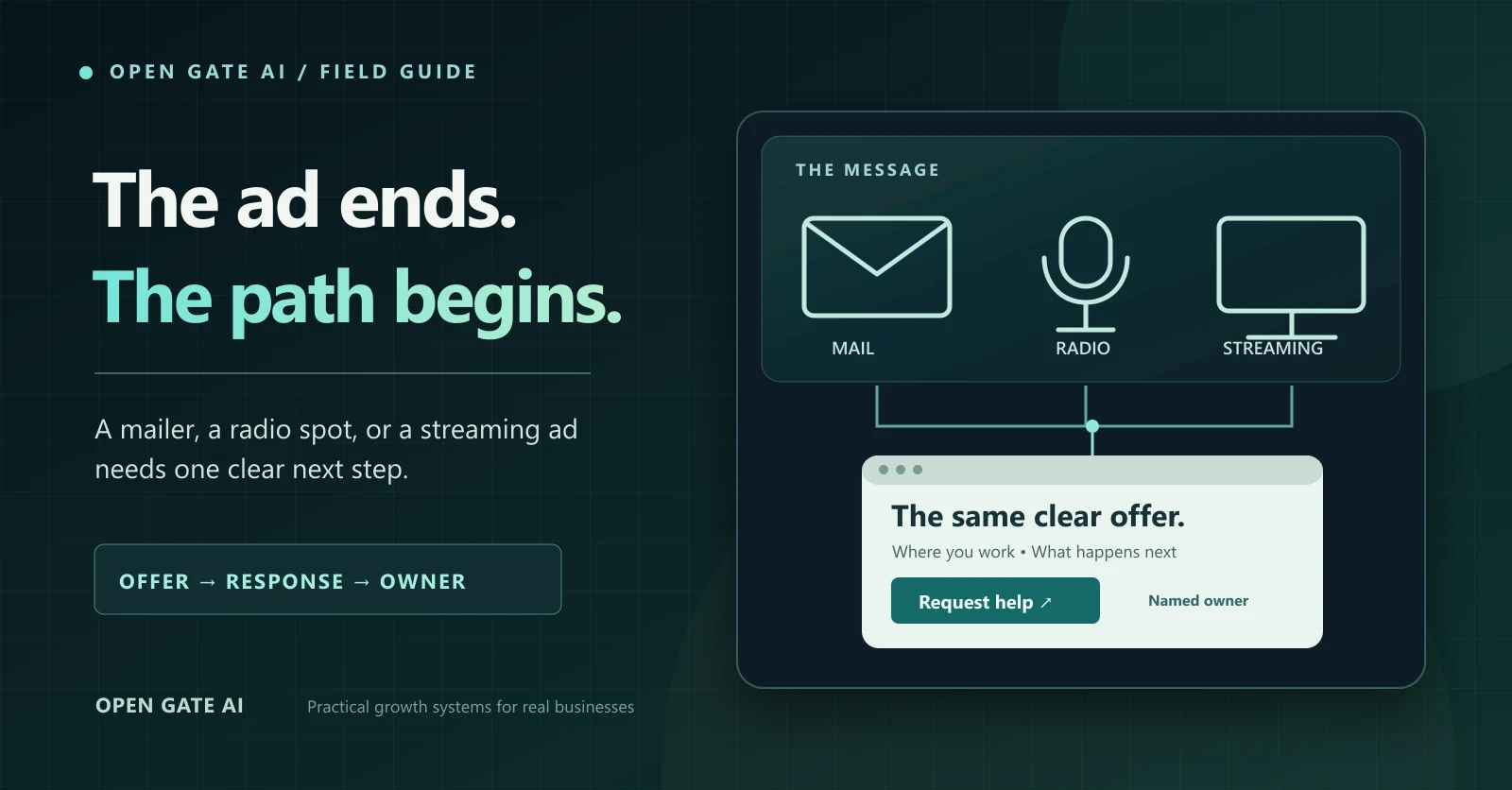
A neighbor sees your postcard. A listener hears your radio spot. Someone notices your business on a streaming screen. When they are ready to respond, is the next step clear? That question deserves an answer before you buy the placement.
This is a planning guide for an established small business, not a claim that mail, radio or streaming will outperform another channel. The useful outcome is a clear, testable route from an offer to a real request and a named response owner. Start with one channel and one offer. Keep the campaign small enough that your team can answer the response it invites.
1. Write the offer your team can actually deliver
In one sentence, state the service, the customer it is for, the area you can serve and the next action. Then ask the delivery team to check the available capacity. A broad promise such as “we do everything” gives a listener little to remember; a price, deadline or performance claim needs evidence and any important conditions. The FTC says advertising claims should be truthful, nondeceptive and evidence-based. Check the claim before it reaches print, audio or video. [1]
For a mailer, choose the real delivery area before finalizing the offer. The Postal Service's Every Door Direct Mail tool can help select neighborhood routes. That is a way to plan distribution, not proof that the households on a route need your service or will respond. [2]
2. Make the next step fit the medium
Do not make a radio listener remember a long web address or force a postcard reader to scan a code. Offer a path a person can use in that moment, plus a sensible alternative. The landing page, phone answer and ad should describe the same offer.
| Medium | Primary next step | Useful backup and test |
|---|---|---|
| Mailer | A short printed web path that opens the specific offer page. | An optional QR code and a readable phone number; type and scan the final printed proof. |
| Radio | A short, speakable web address or phone number repeated clearly. | Read the script aloud once at normal speed; ask a colleague to recall and use the path without seeing the copy. |
| Streaming | A legible on-screen path that fits the placement's actual screen and format. | A phone option where appropriate; test the final creative on a TV and phone rather than trusting an editor preview. |
3. Give the response a useful place to land
The first screen should answer the same three questions as the ad: what is offered, where it is available and what to do now. A general home page can make a specific offer hard to find. Keep the action honest: “request a callback” if a person will confirm the appointment; “book” only if the displayed times have real capacity. Name the person or role that receives a request, a backup when that owner is unavailable, and the response window you can support.
- Check the exact landing URL, phone number and any code in the final creative, not an earlier draft.
- Read the page on a phone. Can a visitor recognize the offer and service area without hunting through menus?
- Submit one clearly labeled internal test request in an approved test path. Verify its receipt, owner and next step without sending a real customer message.
- If follow-up will use text, email or calling, confirm the actual consent, channel setup and business rules before turning it on.
OG JobSite can help keep the inquiry, conversation and next action in one operating view when those workflows are configured and approved for the business. A tool does not replace a response owner or make an untested message safe to send.
4. Record signals without pretending they prove every sale
For a link that people actually click, consistent campaign URL parameters can identify the referring campaign in an analytics report. Google documents source, medium and campaign fields and notes that their values are case-sensitive. Choose simple lowercase names before launch. A typed address, remembered radio message or phone call does not automatically carry that click tag, and a tagged visit alone is not a qualified request. [3]
A campaign code or a “How did you hear about us?” question can add context, but both are imperfect: people may forget or encounter more than one channel. Keep names, email addresses, phone numbers and other personal identifiers out of campaign URLs and analytics fields. Google warns that page URLs, titles and campaign parameters sent to Analytics must not contain personal information. Measure only through the choices and permissions your site actually honors. [4]
| Decide before launch | Write down |
|---|---|
| Offer and audience | Service, area, real capacity, supported claim and any conditions. |
| Response path | Final short URL, phone option or code; the matching landing-page answer. |
| Responsibility | Primary owner, backup, hours and the truthful response promise. |
| Evidence | Approved test result; placement cost; qualified requests; bookings; eventual customers; unknown-source inquiries. |
| Decision date | When the team will review the evidence and decide to revise, repeat or stop. |
5. Rehearse the path, then review what actually happened
Imagine a fictional appliance-repair shop planning a neighborhood postcard. Its offer is a diagnostic visit in the area it truly serves. The card gives a short path to a page that explains the visit and invites a request; the office coordinator receives that request, and the page states when the office will respond. Before printing, a colleague types the path from the proof, uses the page on a phone and checks an internal test receipt. If the page lands on a generic services list, the shop fixes that path before buying mail. No response rate or sales result is assumed in this example.
After the planned review window, compare placement cost with qualified requests, bookings and customers separately. Note what you cannot attribute. A few visits or scans without a useful inquiry do not prove the offer worked; one customer who cannot recall a source does not prove a channel failed. Ask what the next test should change: the offer, the path, the audience, or the team's response. Spend more only when the evidence and delivery capacity support that decision.
Your next action: test one response path
Choose the next placement you are considering. Fill out one row of the worksheet and ask someone outside the campaign team to follow the final creative to a real, clear next step. If they cannot, fix the path before buying reach. Open Gate AI can help map the campaign, landing page and OG JobSite follow-up around how your business actually works; start with a conversation rather than a media commitment.
Sources & research notes
Sources and their access dates are listed below. Survey findings describe their own samples; examples and calculations in this guide are illustrative.
- Advertising and Marketing
Federal Trade Commission · Current guidance checked October 28, 2026
Accessed .
Official general truth-in-advertising guidance. No precise publication date was shown; specialized products can have additional rules. This is not a legal review of a particular campaign.
- Using Every Door Direct Mail
United States Postal Service · Current service guidance checked October 28, 2026
Accessed .
Official route-selection and mailing guidance; does not establish delivery, response or profitability for any business. No precise publication date was shown.
- URL builders: Collect campaign data with custom URLs
Google Analytics Help · Current guidance checked October 28, 2026
Accessed .
Explains campaign parameters for clicked URLs and consistent naming; not a complete attribution method for phone, radio or typed visits. No precise publication date was shown.
- Best practices to avoid sending Personally Identifiable Information (PII)
Google Analytics Help · Current guidance checked October 28, 2026
Accessed .
Official prohibition on sending personal identifiers through URLs, page titles and campaign fields to Analytics; not a complete privacy or consent review. No precise publication date was shown.